 ProMapRanker
Google Maps Ranking Explained: How Local Listings Get Ordered
As the founder of ProMapRanker, I often hear business owners ask the same core question: "How does Google Maps decide who shows up first?" The answer is that Google Maps ranks local businesses based on three core factors: Relevance, Distance, and Prominence. Google's algorithm evaluates how well a business matches the user's search query (relevance), how far it is from the user's location (distance), and its overall authority and online reputation (prominence). A business that excels in all three areas will consistently rank higher in local search results and the coveted Map Pack, directly influencing customer discovery and conversion.
Understanding these foundational principles is crucial for any business aiming to dominate local search. It's not just about being listed; it's about optimizing every aspect of your online presence to signal to Google that you are the best, most authoritative, and most convenient option for a given search. This article will break down each factor, explain how they interact, and provide concrete steps to improve your google maps ranking.
How does Google Maps determine local business ranking?
Google Maps determines local business ranking by analyzing three primary factors: Relevance, Distance, and Prominence. These factors are weighed algorithmically to present the most useful and authoritative local businesses for a user's specific search query and location. Optimizing for all three is essential for achieving top positions in the local pack.
Google's goal is to provide users with the most helpful and accurate local search results possible. This means understanding not only what a user is looking for (their query) but also where they are located and what businesses are considered trustworthy and high-quality. Let's delve into each of these critical factors in detail.
What are the primary Google Maps ranking factors?
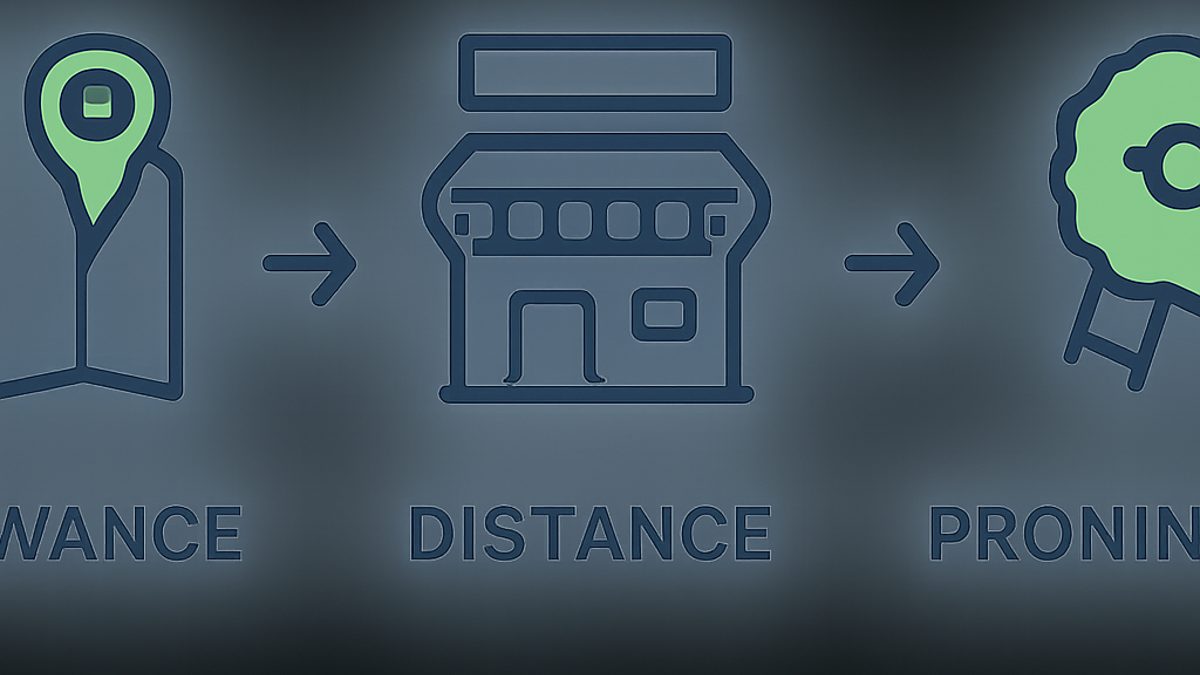
The primary Google Maps ranking factors are Relevance, Distance, and Prominence, which Google uses to provide the most accurate local results. Relevance assesses how well a business matches a search, Distance measures proximity to the user, and Prominence evaluates a business's overall online authority and reputation. Each plays a crucial role in your local visibility.
Let's unpack each of these pillars:
1. Relevance: Matching Your Business to the Search Query
Relevance is how well your business aligns with what a user is searching for. If someone searches for "best pizza near me," Google looks for businesses that explicitly offer pizza. This factor is heavily influenced by the information you provide in your Google Business Profile (GBP), your website content, and even the categories you select.
- Google Business Profile Categories: This is perhaps the most critical relevance signal. When setting up your GBP, choose the most accurate primary category and up to nine additional secondary categories that describe all your services. For example, a "Plumber" might also add "Water Heater Repair Service" and "Drainage Service." Google Business Profile Help states that categories help describe your business and connect customers to your listing.
- Keywords in Business Name (Caution): While a keyword-rich business name can boost relevance, Google explicitly warns against including unnecessary marketing taglines or location information solely for SEO purposes. Doing so can lead to suspension. Use your legal business name.
- Service and Product Listings: Utilize the "Services" and "Products" sections within your GBP to list everything you offer. This provides Google with more specific keywords to match against user queries.
- Website Content: Ensure your website's content, especially service pages and product descriptions, is rich with relevant keywords. If your GBP says you offer "emergency plumbing," your website should have a dedicated page detailing your emergency plumbing services.
2. Distance: Proximity to the Searcher
Distance is straightforward: how far your business is from the searcher's location. Google prioritizes businesses closest to the user. Even if another business has higher prominence, a closer, relevant option will often rank higher. This is why a geo-grid rank tracker is indispensable for understanding your true local visibility.
- Physical Location: Your actual storefront or service area is paramount. Google uses the address listed in your GBP to determine your location.
- Searcher's Location: For "near me" searches, Google uses the user's device location. For searches like "plumber in Brooklyn," Google uses Brooklyn as the central point.
- Service Area Businesses (SABs): If you don't have a physical storefront but serve customers at their locations (e.g., plumbers, electricians), set up your GBP as a Service Area Business. Define your service areas clearly. Google still uses your business's central address (which you hide) for distance calculations.
- Geo-Grid Scans: Traditional rank trackers only show your rank from a single point. ProMapRanker's geo-grid scans provide a heatmap view of your rankings across a grid of points (e.g., a 5x5 grid at 1-mile intervals). This reveals how your google maps position changes across your service area, highlighting areas where you're strong or weak. A business might rank #1 at its address but drop to #15 just 3 miles away.
3. Prominence: Authority and Reputation
Prominence refers to how well-known and authoritative your business is in the real world and online. Google factors in a range of signals to assess prominence, from your online reputation to your website's authority and local citations.
- Online Reviews: The quantity, quality, and recency of your Google reviews significantly impact prominence. Businesses with a high volume of positive reviews (e.g., 100+ reviews with an average rating of 4.5 stars or higher) are seen as more trustworthy. Actively encouraging reviews and responding to them (both positive and negative) is critical. Learn how to get more Google reviews effectively.
- Website Authority: A well-optimized, secure, and fast-loading website with good domain authority contributes to your prominence. Google assesses factors like Core Web Vitals (e.g., INP under 200ms, LCP under 2.5 seconds), mobile-friendliness, and inbound links from other reputable websites.
- Local Citations: These are mentions of your business name, address, and phone number (NAP) on other websites like Yelp, Yellow Pages, industry-specific directories, and local chambers of commerce. Consistent NAP information across 20+ high-quality local directories builds trust and prominence. Inconsistent NAP can confuse Google. We recommend building citations on best citation sites for local SEO.
- Organic Search Ranking: Your performance in traditional organic search results (e.g., ranking high on Google.com for relevant keywords) also influences your local prominence. Google often cross-references these signals.
- Offline Prominence: While harder for Google to measure directly, real-world prominence (e.g., a well-known local brand, awards) can indirectly influence online signals like press mentions and backlinks.
Pro-Tip from Md Shihab Mia: The Interplay of Factors
It's crucial to understand that these factors don't operate in isolation. Google's algorithm weighs them dynamically. A business with perfect relevance and high prominence might still lose to a slightly less prominent but significantly closer competitor. Conversely, a business with overwhelming prominence (e.g., a national brand with a local outlet) might outrank a closer, less known competitor. This dynamic weighting is why a comprehensive Google Business Profile audit checklist and ongoing local SEO strategy are essential.
How important is my Google Business Profile for Maps ranking?
Your Google Business Profile (GBP) is the single most critical asset for Google Maps ranking, serving as the direct data source for Google to understand your business. An optimized and complete GBP directly impacts your Relevance, Distance, and Prominence by providing accurate information, showcasing services, and managing reviews. Without a well-maintained GBP, achieving top local rankings is nearly impossible.
Think of your GBP as your digital storefront on Google. Here's why it's non-negotiable for local success:
- Direct Information Source: Google pulls most of the information displayed in Maps, the Local Pack, and the Knowledge Panel directly from your GBP. Inaccurate or incomplete information here means Google can't accurately categorize or display your business.
- Business Categories: As mentioned, categories are vital for relevance. Your primary category should be the most precise description of your business. Secondary categories broaden your reach.
- Accurate NAP (Name, Address, Phone): Consistency is key. Your NAP must be identical across your GBP, website, and all online directories. Discrepancies reduce trust signals.
- Business Description: Use this section to briefly describe your business, incorporating relevant keywords naturally without keyword stuffing.
- Photos and Videos: High-quality images of your storefront, products, services, and team can significantly increase engagement. Businesses with photos receive more requests for directions and website clicks. Aim for at least 10-15 high-quality images.
- Hours of Operation: Keep these updated, especially for holidays or special events. Nothing frustrates a potential customer more than showing up to a closed business.
- Q&A Section: Monitor and answer questions posted by users. This shows engagement and provides additional keyword-rich content.
- Posts: Use GBP Posts to share updates, offers, events, or new products. These appear directly in your local listing and can drive engagement.
What role do reviews play in Google Maps visibility?
Google reviews play a crucial role in Google Maps visibility by directly influencing your business's Prominence and indirectly affecting Relevance through user engagement. A high volume of positive reviews signals trustworthiness and quality to Google and potential customers, leading to higher rankings and increased click-through rates. Google explicitly states that review count and average score are factored into local ranking.
Reviews are more than just social proof; they are a direct ranking signal:
- Quantity: A higher number of reviews generally correlates with higher prominence. Aim for a consistent flow of new reviews, not just a one-time push. Businesses with 50+ reviews typically see better visibility.
- Quality (Star Rating): A higher average star rating (e.g., 4.0+ out of 5) is essential. Businesses with lower ratings struggle to gain visibility.
- Recency: Recent reviews carry more weight than older ones. Google wants to see that your business consistently provides good service.
- Review Content: Reviews that include keywords relevant to your services (e.g., "best Italian food," "fast plumbing repair") can indirectly boost your relevance for those terms.
- Owner Responses: Responding to every review, both positive and negative, shows that you value customer feedback. This enhances your reputation and signals active management to Google. For negative reviews, offer solutions or move the conversation offline.
How does local SEO beyond GBP affect Maps ranking?
Local SEO beyond your Google Business Profile (GBP) significantly influences Maps ranking by building overall online authority and relevance. This includes optimizing your website, securing consistent local citations, earning quality backlinks, and implementing structured data. These off-GBP signals reinforce your business's prominence and trustworthiness to Google, complementing your GBP efforts.
While GBP is foundational, it's not the only piece of the puzzle. Here’s how other local SEO tactics contribute:
- Optimized Local Website:
- Local Content: Create service pages and blog posts focused on specific neighborhoods or cities you serve. For example, "Emergency Plumber in Northwood" rather than just "Emergency Plumber."
- NAP Consistency: Ensure your Name, Address, and Phone number are prominently displayed and consistent across your entire website, especially in the footer and contact page.
- Schema Markup: Implement LocalBusiness schema markup on your website. This structured data helps search engines understand critical information about your business, such as name, address, phone, hours, and services. Adding AggregateRating schema for reviews can also boost visibility.
- Mobile-Friendliness and Speed: A fast, mobile-responsive website is crucial. Google uses Core Web Vitals (LCP, FID, CLS, now INP) as ranking signals. Aim for an Interaction to Next Paint (INP) score under 200ms.
- Local Citations and Directory Listings:
- Consistency: As discussed, consistent NAP across 20+ prominent directories (Yelp, Foursquare, industry-specific sites) is vital.
- Quality over Quantity: Focus on reputable, relevant directories. A citation on an obscure, spammy site can do more harm than good.
- Data Aggregators: Ensure your information is accurate with major data aggregators like Data Axle (formerly Infogroup) and Neustar Localeze, as many smaller directories pull their data from these sources. Read more about local data aggregators.
- Link Building (Local Focus):
- Local Backlinks: Earn backlinks from other local businesses, community organizations, local news sites, or industry associations. These signal local relevance and authority to Google.
- Avoid Spammy Links: Focus on natural, editorially placed links, not paid or low-quality link schemes.
- Social Media Presence:
- While not a direct ranking factor, an active social media presence can drive traffic to your website and GBP, increase brand mentions, and indirectly contribute to prominence.
Can I track my Google Maps ranking accurately?
Yes, you can track your Google Maps ranking accurately, but traditional single-point trackers are insufficient. Accurate tracking requires geo-grid local rank tracking, which scans your business's position across multiple points within your service area. This provides a comprehensive heatmap of your visibility, revealing how your rank fluctuates based on the searcher's exact location, a critical insight for optimizing local SEO efforts.
Understanding your true local search visibility is impossible with a standard rank tracker that checks your position from a single zip code. Here's why and how:
- The Distance Factor: Google Maps results are highly localized. Your ranking can change dramatically just a few miles, or even blocks, away from your business.
- Geo-Grid Scans: Tools like ProMapRanker conduct geo-grid scans, simulating a search from various points on a map. For example, a 7x7 grid with a 1-mile radius around your business will show 49 different ranking positions for your target keywords. This creates a heatmap that visually represents your Share of Local Voice (SoLV) and Average Rank Position (ARP).
- Share of Local Voice (SoLV): This metric, offered by ProMapRanker, tells you the percentage of search queries within a defined geographic area for which your business ranks in the top positions (e.g., Top 3 or Top 10). It's a more realistic measure of your market dominance.
- Competitive Analysis: Geo-grid tracking also allows you to see how your competitors rank across the same grid, helping you identify opportunities and weaknesses.
- Actionable Insights: By identifying areas where your ranking drops, you can strategically target those zones with localized content, review generation campaigns, or even consider opening new locations if growth justifies it.
Elevate Your Local SEO with ProMapRanker
At ProMapRanker, we provide the most accurate geo-grid local rank tracking and Google Business Profile audit tools. Our platform helps you visualize your true local search performance with heatmaps, track Share of Local Voice, and identify critical areas for improvement. Don't guess your local rankings. Know them precisely. Start your ProMapRanker journey today and see exactly where you stand!
What are common mistakes that hurt Google Maps ranking?
Common mistakes that hurt Google Maps ranking include inconsistent NAP information, not optimizing your Google Business Profile, neglecting customer reviews, spammy SEO tactics, and a slow, unoptimized website. These errors directly undermine Google's ability to trust and accurately display your business, leading to reduced visibility and lower local search positions.
Avoiding these pitfalls is as important as implementing best practices:
- Inconsistent NAP Information: This is a massive red flag for Google. If your business name, address, or phone number differs across your GBP, website, and directories, Google gets confused and loses trust.
- Unclaimed or Unoptimized Google Business Profile: Many businesses either don't claim their GBP or leave it incomplete. An empty profile provides no signals to Google.
- Keyword Stuffing in Business Name: Adding irrelevant keywords or locations to your GBP name (e.g., "Shihab's Pizza - Best Pizza in Brooklyn - Free Delivery") violates Google's guidelines and can lead to suspension.
- Ignoring Reviews: Not soliciting reviews, not responding to them, or having a low average star rating significantly damages your prominence.
- Duplicate Listings: Having multiple GBP listings for the same physical location confuses Google and splits your review signals. Merge or remove duplicates.
- Spammy Local SEO Tactics: Buying fake reviews, using black-hat link building, or creating fake GBP locations are unethical and will eventually result in penalties or suspensions.
- Poor Website Experience: A slow, non-mobile-friendly website with broken links or outdated content detracts from your overall online authority, even if your GBP is perfect.
- Incorrect Business Categories: Choosing categories that don't accurately reflect your primary services can severely limit your relevance for key searches.
- Lack of Local Content: Not creating website content that targets specific local keywords or service areas means you're missing out on relevance signals.
How can businesses improve their Google Maps ranking immediately?
To improve your Google Maps ranking immediately, focus on optimizing your Google Business Profile (GBP) by ensuring all information is 100% complete and accurate, selecting precise categories, and actively soliciting new reviews. Regularly posting updates and photos to your GBP also provides fresh signals to Google, enhancing your relevance and prominence quickly. These foundational steps yield the fastest results.
Here’s a practical checklist to boost your maps ranking order:
- Claim and Verify Your Google Business Profile: If you haven't already, do this immediately. Verification typically involves receiving a postcard with a code.
- Complete Every Section of Your GBP:
- Business Name: Use your exact, legal business name.
- Address: Ensure it's precise and matches other online listings.
- Phone Number: Use a local number.
- Website: Link to your primary business website.
- Hours of Operation: Keep these up-to-date, including special hours for holidays.
- Primary and Secondary Categories: Choose the most accurate ones. This is critical for relevance.
- Services/Products: Detail all your offerings.
- Business Description: Write a compelling, keyword-rich (but natural) overview.
- Upload High-Quality Photos and Videos: Add at least 5-10 professional photos of your exterior, interior, team, and services. Businesses with photos receive more engagement.
- Actively Solicit New Google Reviews:
- Ask happy customers for reviews directly.
- Provide a direct link to your Google review form.
- Respond to ALL reviews (positive and negative) promptly and professionally.
- Post Regularly to Your GBP: Use Google Posts to share updates, offers, events, or new products at least once a week. This keeps your profile active and provides fresh content.
- Ensure NAP Consistency Everywhere:
- Check your website's footer and contact page.
- Verify listings on major directories like Yelp, Yellow Pages, and Facebook.
- Correct any discrepancies immediately.
- Optimize Your Website for Local SEO:
- Ensure your website is mobile-friendly and loads quickly (check Google PageSpeed Insights).
- Create dedicated service pages for specific local keywords and areas.
- Add LocalBusiness schema markup to your site.
By implementing these steps, you'll provide Google with clearer, more authoritative signals about your business, leading to rapid improvements in your local listing ranking.
Unlock Your Full Local Potential with ProMapRanker
Ready to go beyond guesswork? ProMapRanker offers robust geo-grid rank tracking, a comprehensive GBP audit tool, and AI-powered insights to help you dominate your local market. Get a free Google Business Profile audit and discover exactly what's holding your rankings back!
Frequently asked questions
What is the Google Map Pack?
The Google Map Pack, also known as the Local Pack or 3-Pack, is the block of 3-4 local business listings that appears at the top of Google's search results for local-intent queries, usually above organic results. It displays a map, business names, addresses, phone numbers, and star ratings, offering a quick overview of relevant local businesses. Ranking in the Map Pack is crucial for local visibility and driving foot traffic or calls.
How often should I update my Google Business Profile?
You should update your Google Business Profile regularly, ideally weekly or bi-weekly. This includes posting updates, responding to new reviews, adding fresh photos, and ensuring your hours and service offerings are always accurate. Consistent activity signals to Google that your business is active and engaged, which can positively influence your ranking and user engagement.
Does my website ranking affect my Google Maps ranking?
Yes, your website ranking absolutely affects your Google Maps ranking. Google often uses signals from your website, such as its authority, relevance, mobile-friendliness, and Core Web Vitals performance, to gauge the overall prominence and trustworthiness of your business. A strong organic search presence reinforces your local search visibility, creating a synergistic effect.
Are local citations still important for Maps ranking?
Yes, local citations remain important for Maps ranking, though perhaps less so than in previous years. Consistent Name, Address, and Phone (NAP) information across a broad range of reputable online directories and websites helps Google confirm your business's existence and legitimacy, contributing to your overall prominence. Inconsistent citations, however, can hurt your ranking by confusing Google.
How long does it take to rank higher on Google Maps?
The time it takes to rank higher on Google Maps varies significantly based on competition, your current online presence, and the consistency of your optimization efforts. You might see initial improvements within weeks by fully optimizing your GBP and soliciting reviews. However, achieving and maintaining top rankings in competitive markets often requires several months of sustained local SEO efforts, including website optimization and citation building.
Can I rank without a physical address for Google Maps?
Yes, you can rank on Google Maps without a physical address if you operate as a Service Area Business (SAB). SABs serve customers at their locations and can hide their address in their Google Business Profile while still defining their service areas. However, SABs cannot show up in the Map Pack for searches directly at their hidden address but can rank for searches within their defined service zones.
See where you really rank - block by block
ProMapRanker scans Google Maps across a grid of your service area. Simple monthly plans from $19, white-label on every plan.
Start free