 ProMapRanker
How to Remove Bad Reviews From Google My Business
As Md Shihab Mia, founder of ProMapRanker, I often hear from business owners struggling with negative feedback. The direct answer to "how to remove bad reviews from Google My Business" is nuanced: you generally cannot simply delete a negative Google review written by someone else unless it violates Google's specific content policies. The only reviews you can directly delete are those you wrote yourself as a business owner. For reviews written by others, your primary course of action is to report reviews that violate Google's policies, such as spam, fake content, off-topic comments, or harassment. If a review doesn't violate these policies, the best strategy involves responding professionally, mitigating the impact, and focusing on proactive online reputation management to generate more positive feedback.
Can You Delete Bad Google Reviews?
No, you generally cannot delete bad Google reviews written by others, as Google aims to maintain the integrity and authenticity of user-generated content. You can only directly delete reviews that you, as the business owner, have posted on your own profile. For reviews left by customers or others, removal is only possible if the content violates Google's specific review policies.
Google's review system is designed to provide genuine, unfiltered feedback to help consumers make informed decisions. This commitment to transparency means businesses do not have the power to arbitrarily remove negative, but legitimate, reviews. The system is built on trust, and allowing businesses to curate their reviews by deleting unfavorable ones would undermine that trust. Your focus should be on understanding Google's policies and employing strategic response and management techniques.
How to Report Inappropriate Google Reviews (The Official Method)
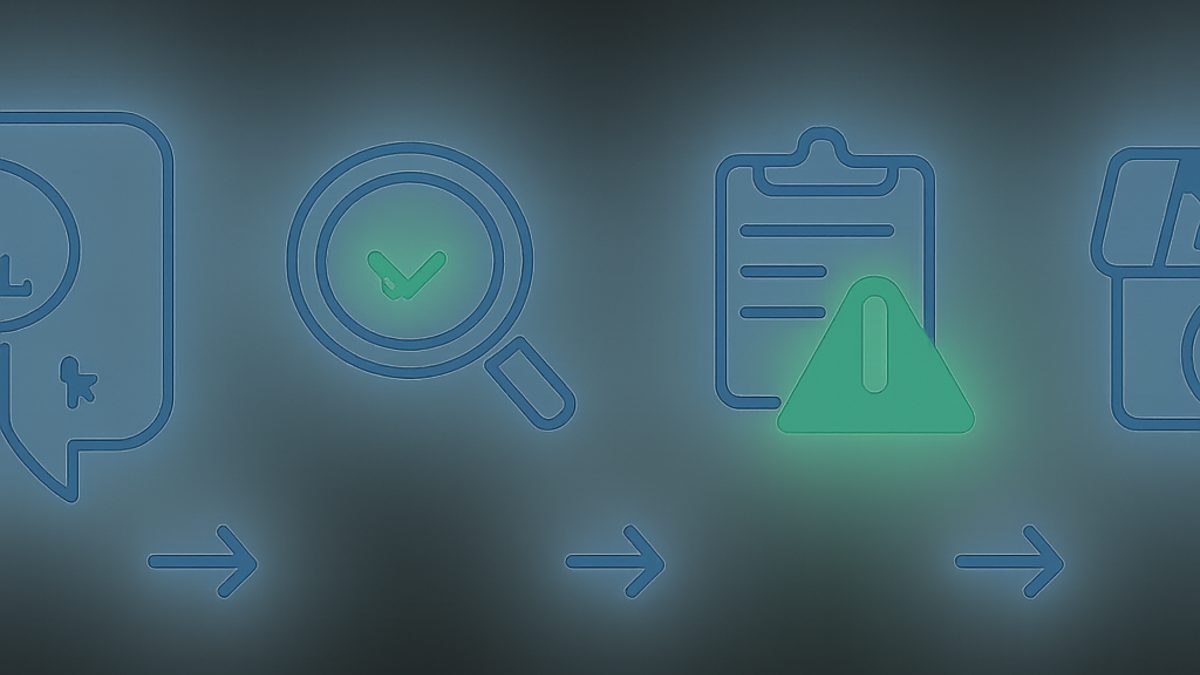
To report an inappropriate Google review, use the "Report Review" function available directly on your Google Business Profile or within Google Maps. This initiates a formal review by Google to determine if the content violates their established policies. This is the primary and most effective method for seeking removal of non-compliant reviews.
Here's a step-by-step guide to reporting a review:
- Access Your Google Business Profile: Sign in to the Google account associated with your Google Business Profile.
- Find the Review:
- From Google Search or Maps: Search for your business name. In your Business Profile, click "Reviews." Find the specific review you want to report.
- From Business Profile Manager: Go to your Google Business Profile dashboard. Click "Reviews" on the left-hand menu.
- Report the Review:
- Next to the review, click the three-dot menu (More options).
- Select "Report review."
- Select a Violation Type: Choose the reason why you believe the review violates Google's policies (e.g., "Off-topic," "Spam," "Conflict of interest," "Harassment or hate speech").
- Submit: Click "Report."
Once reported, Google's team will review your submission. This process can take anywhere from a few days to several weeks. There is no guaranteed timeline, and Google does not always notify you of their decision. You may need to check your profile periodically to see if the review has been removed.
What Constitutes a Google Review Policy Violation?
Google's content policies outline specific violations that can lead to a review's removal, including spam, fake engagement, off-topic content, illegal content, harassment, identity theft, and conflicts of interest. Understanding these categories is crucial for successfully reporting a review for removal.
According to Google's Prohibited and Restricted Content policies, here are the main categories of violations:
- Spam and Fake Content: Reviews that are clearly fabricated, posted by bots, or duplicates. This includes reviews from competitors or disgruntled former employees posing as customers.
- Off-topic: Reviews that don't pertain to the business itself or a genuine customer experience. This could be political rants, personal attacks unrelated to service, or content about an entirely different business.
- Restricted Content: Reviews promoting regulated goods and services (e.g., alcohol, gambling, pharmaceuticals) where prohibited.
- Illegal Content: Reviews depicting, promoting, or facilitating illegal activities.
- Terrorist Content: Any content promoting terrorism.
- Sexually Explicit Content: Reviews containing explicit sexual material.
- Offensive Content: Reviews containing obscene, profane, or offensive language, gestures, or imagery.
- Dangerous & Derogatory Content: Reviews inciting hatred, discrimination, or violence against individuals or groups based on attributes like race, ethnicity, religion, disability, gender, age, sexual orientation, or veteran status.
- Impersonation: Reviews posted by someone pretending to be another person or the business itself.
- Conflict of Interest: Reviews written by current or former employees, competitors, or anyone with a direct personal or financial interest in the business (positive or negative). This also includes businesses reviewing their own products or services.
- Personal Information: Reviews containing private or confidential information about individuals.
It's important to note that a simply "negative" review that expresses a poor but legitimate customer experience, even if you disagree with it, typically does not violate Google's policies. Google aims to protect the integrity of its review system, not to shield businesses from criticism.
What if Google Doesn't Remove the Review? (Escalation Steps)
If your initial report doesn't lead to the review's removal, you can escalate the issue by contacting Google Business Profile support directly or by tweeting at @GoogleMyBiz. Provide them with your case ID and any additional evidence to support your claim that the review violates policy.
Here's how to escalate:
- Contact Google Business Profile Support:
- Go to the Google Business Profile Help Center.
- Select "Contact us" or "Get help."
- Describe your issue, providing details about the review, why you believe it violates policy, and the date you initially reported it.
- If you received a case ID from a previous report, include that.
- You may be able to request a call, chat, or email support, depending on availability.
- Tweet @GoogleMyBiz: Sometimes, a public query on Twitter can draw attention from Google's support team. Keep your tweet concise and professional, stating that you've reported a review that violates policy and are seeking further assistance. They may ask you to send a direct message with more details.
- Provide Strong Evidence: When escalating, be prepared to provide concrete evidence. For instance, if you claim a review is from a non-customer, state that you've searched your customer records (CRM, appointment books, invoices) and found no trace. If it's a competitor, provide their business name and any links. If it's an employee, provide their name and employment dates.
- Google Business Profile Community: While not a direct escalation path, the Google Business Profile Community can be a valuable resource. Other experienced business owners or Product Experts may offer advice or even flag your issue to Google if it's a clear violation.
Remember that even with escalation, Google still makes the final decision. Persistent, polite communication with clear evidence is your best approach.
How to Respond to Negative Google Reviews Effectively
Responding to negative Google reviews effectively involves promptly addressing the issue professionally, empathetically, and constructively, whether the review is legitimate or not. A well-crafted response can mitigate damage, show commitment to customer service, and even turn a negative experience into a positive perception for future customers.
The way you respond to reviews is a critical component of online review management. Here's a strategic approach:
- Respond Promptly: Aim to respond within 24-48 hours. Timely responses show you care about customer feedback.
- Be Professional and Polite: Even if the review is unfair, maintain a calm and courteous tone. Avoid getting defensive or emotional.
- Thank the Reviewer: Start by thanking them for their feedback, even if it's negative. For example, "Thank you for taking the time to share your experience."
- Acknowledge and Empathize: Show that you understand their concern. "I'm truly sorry to hear you had a negative experience with [specific issue]."
- Take Responsibility (When Appropriate): If your business made a mistake, own it. "We apologize for the oversight in your order."
- Offer a Solution or Next Step: Suggest how you'll rectify the situation or how they can contact you directly to resolve it offline. "Please contact us directly at [phone number/email] so we can discuss this further and make it right." This moves the conversation away from the public eye.
- Keep it Concise: Long, rambling responses can appear defensive. Get to the point.
- Review Management Software: Tools like ProMapRanker can help you monitor reviews, track sentiment, and ensure you never miss a review that needs a response. Our Google Business Profile audit checklist also covers review response strategies.
Example Response to a Legitimate Negative Review:
"Thank you for your feedback, [Reviewer Name]. We sincerely apologize that your recent visit did not meet your expectations, especially regarding [specific issue]. We're always striving to improve, and your comments help us do that. Please contact our manager at [phone number] or [email address] so we can discuss this further and hopefully regain your trust."
Example Response to a Potentially Fake or Unfair Review:
"Thank you for sharing your experience. We take all feedback seriously. After checking our records, we couldn't find a customer interaction matching the details of your review on [date/service]. We'd appreciate it if you could contact us directly at [phone number] with more specific information so we can investigate this thoroughly."
Remember, your response is not just for the original reviewer but for everyone else who reads your reviews. A thoughtful, professional response can turn a negative into a positive for your overall reputation.
Can a Business Pay Google to Remove Bad Reviews?
No, a business cannot pay Google to remove bad reviews. Google explicitly states that businesses cannot pay to alter or remove reviews, and any service claiming to do so by "paying Google" is a scam. Google's review system is built on integrity and user trust.
Google maintains strict policies against manipulating reviews. This includes buying or selling reviews, offering incentives for reviews, or attempting to remove legitimate negative feedback through payment. The goal is to provide an unbiased platform where consumers can share their genuine experiences, both good and bad. Allowing businesses to pay for review removal would fundamentally compromise the credibility of the entire system.
If you encounter services or individuals claiming they can "pay Google" to delete reviews, exercise extreme caution. These are almost certainly fraudulent schemes designed to take your money without delivering on their promise, or they might attempt unethical tactics that could put your Google Business Profile at risk of penalties.
How to Get Fake Google Reviews Removed (Specific Approach)
To get fake Google reviews removed, treat them as policy violations and gather concrete evidence to prove their inauthenticity. This approach is more likely to succeed than simply claiming a review is "bad."
Fake reviews often violate Google's "Spam and fake content" or "Conflict of interest" policies. Here's a specific approach:
- Identify Characteristics of a Fake Review:
- Generic Language: Reviews that are overly vague or use boilerplate phrases.
- No Customer Record: You can't find any trace of the reviewer's name, email, or details in your customer database or appointment system.
- Suspicious Reviewer Profile: The reviewer has left many 5-star or 1-star reviews for various businesses in different cities or industries, often within a short timeframe.
- Competitor or Employee: The review comes from a known competitor, disgruntled former employee, or someone with a clear conflict of interest.
- Off-topic/Irrelevant: The review talks about an experience that clearly didn't happen at your business or discusses unrelated issues.
- Gather Evidence:
- Screenshot the Review: Capture the review, the reviewer's profile, and any associated dates.
- Internal Records Check: Document that you have searched your CRM, booking system, or other customer records and found no matching client. State the dates you checked.
- Competitor/Employee Proof: If you suspect a competitor or employee, provide their business name, website, or employment dates if possible.
- Pattern of Behavior: If the reviewer has a history of leaving similar fake reviews for other businesses, you might note this (though Google primarily focuses on your business's interaction).
- Report the Review (as detailed above): When reporting, select the most appropriate violation (e.g., "Spam," "Fake engagement," "Conflict of interest").
- Escalate if Necessary: If the initial report is unsuccessful, follow the escalation steps outlined earlier, providing all your gathered evidence to Google Business Profile support. Be clear, concise, and professional in your communication.
Proving a review is fake can be challenging, as Google errs on the side of protecting user freedom of speech. However, with strong, documented evidence, your chances of success significantly increase.
Proactive Online Review Management Strategies
The most effective defense against bad reviews is a robust proactive online review management strategy that combines excellent customer service, active solicitation of positive feedback, and continuous monitoring of your online reputation. This approach minimizes the impact of negative reviews and builds a stronger overall online presence.
Here are key proactive strategies:
- Deliver Exceptional Customer Service: The fundamental way to prevent bad reviews is to consistently provide outstanding service. Happy customers are less likely to leave negative feedback and more likely to leave positive ones.
- Actively Solicit Positive Reviews: Don't just wait for reviews to happen. Implement systems to encourage satisfied customers to leave feedback.
- Email Follow-ups: Send post-service emails with a direct link to leave a Google review.
- In-store Prompts: Use QR codes on receipts, signage, or business cards that link directly to your Google review page.
- Direct Ask: Train staff to politely ask happy customers to leave a review.
ProMapRanker's tools, including our Google Business Profile optimization checklist, often highlight the importance of review quantity and quality for local ranking.
- Monitor Reviews Regularly: Stay on top of what's being said about your business.
- Google Alerts: Set up alerts for your business name.
- Review Management Software: Tools like ProMapRanker offer automated monitoring and alerts for new reviews across various platforms, including Google. This ensures you can respond promptly.
- Analyze Review Trends: Look for patterns in your reviews. Are there recurring complaints about a specific service, product, or employee? Use this feedback to improve your business operations. Our Google Business Profile audit features help analyze review sentiment over time.
- Leverage Geo-Grid Local Rank Tracking: Understand how your reviews impact your local visibility. ProMapRanker provides geo-grid scans (e.g., a 5x5 grid at 0.5 mile intervals) that show your ranking across a local area. A sudden drop in rankings around a specific location might correlate with a cluster of negative reviews in that area. This insight helps you prioritize which reviews to address. Learn more about geo-grid rank tracking explained.
- Showcase Positive Reviews: Highlight excellent reviews on your website, social media, and marketing materials to build trust and counter any negative sentiment.
Proactive vs. Reactive Review Management
| Aspect | Proactive Review Management | Reactive Review Management |
|---|---|---|
| Focus | Preventing negative reviews, generating positive ones | Addressing existing negative reviews |
| Goal | Build strong online reputation, improve customer satisfaction | Mitigate damage, resolve specific issues |
| Effort | Ongoing, integrated into business operations | Event-driven, often urgent |
| Impact | Sustainable growth, higher star rating, improved local SEO | Temporary fixes, can be resource-intensive |
| Tools | CRM integration, automated review requests, monitoring software (e.g., ProMapRanker) | Manual reporting, customer service, legal counsel |
When to Seek Legal Counsel for Defamatory Reviews
Seeking legal counsel for defamatory reviews should be considered a last resort for genuinely false statements that cause significant harm to your business, especially after exhausting Google's review policies. Defamation has a high legal bar, requiring proof that the statement is false, published, causes harm, and made with malicious intent or negligence.
Before considering legal action, ensure you have:
- Exhausted Google's Reporting & Escalation: You've reported the review multiple times, contacted Google Business Profile support, and provided all available evidence without success.
- Identified True Defamation: The review contains factually false statements, not just opinions or subjective negative experiences. For example, "This restaurant gave me food poisoning" (if demonstrably false) versus "The food here was terrible."
- Proven Damage: You can demonstrate that the false review has caused tangible financial harm to your business, such as a measurable loss of customers or revenue.
If these conditions are met, a lawyer can help you:
- Send a Cease and Desist Letter: A formal letter to the reviewer demanding retraction.
- Obtain a Court Order: In rare cases, if defamation is proven in court, a judge can issue an order for Google to remove the review. This is a complex, expensive, and time-consuming process.
Legal action is costly and should not be taken lightly. Consult with an attorney specializing in internet law or business litigation to understand your options and the likelihood of success.
How ProMapRanker Helps with Your Review Strategy
ProMapRanker (a product of rankite.com) empowers businesses with comprehensive tools to monitor, analyze, and improve their local online presence, including how reviews impact local rankings. Our platform provides geo-grid local rank tracking, Google Business Profile audits, and competitor analysis to give you a competitive edge.
Here's how ProMapRanker can be an invaluable asset for your review strategy:
- Geo-Grid Local Rank Tracking: Understand your local visibility in granular detail. ProMapRanker performs geo-grid scans, for example, a 5x5 grid at 0.5-mile intervals, to show your business's exact ranking for target keywords across your service area. This helps you correlate review trends with ranking changes, identifying if a surge of negative reviews in a specific area impacts your Local Pack rankings.
- Google Business Profile Audit: Our advanced audit tool (a Local Falcon / BrightLocal alternative) provides deep insights into your GBP performance. It assesses crucial factors like your "Share of Local Voice" (SoLV) and "Average Rank Position" (ARP), helping you understand how your overall review profile contributes to your visibility. Get a free GBP audit to see for yourself.
- Competitor Review Analysis: See how your review profile stacks up against competitors. Our platform allows you to track competitor review counts, average ratings, and sentiment, giving you benchmarks for improvement.
- Identify Review Impact: By cross-referencing your geo-grid data with review fluctuations, you can pinpoint specific areas where review management needs more attention to boost local search performance and improve your Google Maps visibility score.
- AI-Powered Insights: Leverage AI-driven analysis to understand sentiment trends in your reviews, identifying common themes and areas for operational improvement.
ProMapRanker helps you move beyond reactive review management to a proactive, data-driven strategy that directly impacts your local SEO and business growth. Register today to start optimizing your Google Business Profile.
Frequently Asked Questions
How do I remove a negative review?
You can only remove a negative review if it violates Google's content policies (e.g., it's fake, spam, off-topic, or hateful). To do so, report the review directly through your Google Business Profile or Google Maps. If Google agrees it violates policy, they will remove it. Otherwise, focus on responding professionally and building a strong base of positive reviews.
Can a business pay Google to remove bad reviews?
No, a business cannot pay Google to remove bad reviews. Google strictly prohibits any attempts to manipulate review content, including paying for removal or alteration. Any service claiming they can "pay Google" to delete reviews is fraudulent and should be avoided, as such actions could jeopardize your Google Business Profile.
How to get fake Google reviews removed?
To get fake Google reviews removed, report them as a policy violation, specifically under "Spam and fake content" or "Conflict of interest." Gather evidence to support your claim, such as proof that the reviewer is not a customer, is a competitor, or that the content is factually incorrect and off-topic. If the initial report fails, escalate the issue with Google Business Profile support.
How do I delete Google reviews written by others?
You cannot directly delete Google reviews written by others unless they violate Google's content policies. If a review violates policies (e.g., it's spam, hate speech, or off-topic), you can report it to Google for review and potential removal. For legitimate negative reviews, your best approach is to respond professionally and work to improve your customer experience.
What is the typical timeframe for Google to remove a reported review?
The typical timeframe for Google to remove a reported review can vary significantly, ranging from a few days to several weeks, or sometimes even longer. Google does not provide a guaranteed timeline, and the process depends on the complexity of the violation and their internal review queue. You usually won't receive a direct notification, so you'll need to monitor your profile.
Should I remove my Google Business Profile to get rid of bad reviews?
No, you should strongly avoid removing your Google Business Profile to get rid of bad reviews. Deleting your profile means losing all your positive reviews, local SEO benefits, and visibility on Google Search and Maps. It's a drastic measure that will severely harm your online presence and make it harder for customers to find you. Focus instead on managing and responding to reviews effectively.
See where you really rank - block by block
ProMapRanker scans Google Maps across a grid of your service area. Simple monthly plans from $19, white-label on every plan.
Start free