 ProMapRanker
Google Business Profile Reinstatement: A Step-by-Step Recovery Plan
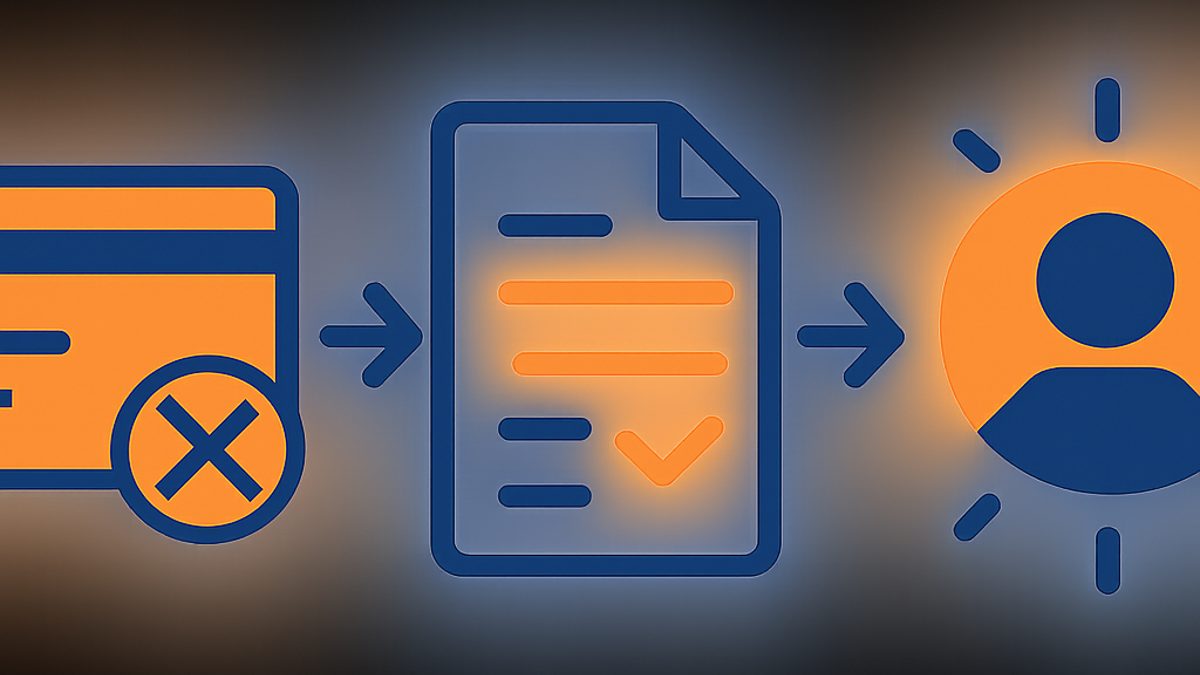
A Google Business Profile (GBP) reinstatement is the process of appealing a suspension or disablement of your business listing on Google Maps and Search, aiming to restore its visibility and functionality. To get your Google Business Profile reinstated, you must first identify the exact reason for the suspension by reviewing Google's guidelines, then meticulously correct all violations, gather compelling evidence of your legitimate business operations, and submit a detailed reinstatement request through the official Google Business Profile support form. Successful reinstatement depends on demonstrating full compliance with all Google Business Profile guidelines.
Losing your Google Business Profile visibility due to a suspension can be devastating for local businesses, directly impacting leads, calls, and foot traffic. As Md Shihab Mia, founder of ProMapRanker, I've seen countless businesses navigate this frustrating challenge. This comprehensive guide provides a step-by-step recovery plan, drawing on real-world experience and Google's own best practices, to help you get your business back on the map.
Why Was My Google Business Profile Suspended?
Your Google Business Profile was suspended because it violated one or more of Google's strict guidelines, which are designed to ensure accurate and trustworthy business information for users. Common reasons include inaccurate business names, incorrect addresses, misleading categories, or indications of spammy behavior, which Google detects through various automated and manual checks.
Understanding the root cause is the critical first step in any successful reinstatement effort. Google doesn't always provide a specific reason for a suspension, often stating only "Your business profile has been suspended because it violates our policies." This ambiguity can be frustrating, but common violations usually fall into a few key categories:
- Inaccurate Business Name: Adding keywords, city names, or taglines that are not part of your legal business name.
- Incorrect Address: Using a P.O. Box, a virtual office without a physical presence, a co-working space without proper signage, or an address where you don't conduct in-person business. Service-area businesses must hide their address.
- Misleading Business Category: Choosing a category that doesn't accurately reflect your primary service or product.
- Multiple Listings for the Same Business: Creating duplicate profiles for the same location or service area.
- Spammy Behavior: Using keyword stuffing in descriptions, responding to reviews inappropriately, or engaging in review manipulation.
- Violation of Review Policies: Soliciting fake reviews, offering incentives for reviews, or posting negative reviews about competitors.
- Unqualified Service-Area Business (SAB): Listing an address when you operate as an SAB and only visit customers at their locations. SABs must hide their physical address and define service areas.
- Google's Algorithm Updates: Sometimes, profiles are suspended during broad algorithm updates that re-evaluate compliance across many listings.
For a complete overview of potential violations, refer to our detailed guide on Google Business Profile Suspensions: Common Causes & Prevention.
How to Identify the Exact Reason for Your GBP Suspension
To identify the exact reason for your Google Business Profile suspension, meticulously compare your current profile details against Google's comprehensive guidelines, paying close attention to your business name, address, categories, and website links. Systematically review every piece of information on your profile for potential non-compliance, as even minor discrepancies can trigger a suspension.
Since Google rarely tells you *exactly* why your profile was suspended, you need to become a detective. Here’s a systematic approach:
- Review Google's Guidelines Thoroughly: Start by reading the official Google Business Profile guidelines. Pay special attention to the "Represent your business on Google" section, as most suspensions stem from violations here.
- Audit Your Entire Google Business Profile:
- Business Name: Does it match your legal business name exactly? Remove any marketing taglines, city names, or keywords not part of your registered name.
- Categories: Are your primary and secondary categories accurate and specific? Avoid overly broad or irrelevant categories.
- Address: Is it a legitimate physical location where customers can visit during business hours? If you're a service-area business, is your address hidden, and are your service areas correctly defined?
- Website URL: Does it link to your official business website? Is the website live and functional?
- Phone Number: Is it a direct number to your business, not a call center or personal number?
- Business Hours: Are they accurate and consistent with your physical operating hours?
- Description, Products, Services: Are they free of keyword stuffing, promotional language, or misleading claims?
- Photos: Are all photos relevant to your business and free of logos, text overlays, or inappropriate content?
- Check for Duplicate Listings: Search on Google Maps for your business name and address. Could there be an old, unclaimed, or duplicate listing causing confusion? If so, you'll need to address this in your appeal. Learn more about claiming your business in our guide: How to Claim My Business on Google.
- Review Recent Changes: Did you or someone else make any changes to your profile just before the suspension? This is often a strong indicator of the cause.
- Consult a GBP Audit Tool: Tools like ProMapRanker offer a free GBP audit that can highlight potential guideline violations, identify duplicate listings, and analyze your profile's completeness and accuracy, giving you a clearer picture of what might have triggered the suspension.
Step-by-Step Guide: How to Get Your Google Business Profile Reinstated
To reinstate your Google Business Profile, first identify and fix all guideline violations on your profile, then gather robust documentation proving your business's legitimacy at its listed address. Finally, submit a detailed reinstatement request through Google's official support form, clearly explaining the corrections made and providing all supporting evidence.
This is the core of your recovery plan. Follow these steps meticulously:
Step 1: Correct All Violations on Your Profile
Before you even think about appealing, you *must* fix everything that violates Google's guidelines. This is non-negotiable.
- Edit Your Business Information: Log into your Google Business Profile dashboard. Even if suspended, you can usually access the editing interface. Correct your business name, address, categories, phone number, website, and hours to be 100% compliant.
- Remove Spammy Elements: Delete any keyword stuffing from your business description, services, or product listings. Ensure all photos are legitimate and relevant.
- Address Duplicates: If you found duplicate listings, you'll need to report them to Google as part of your appeal. Do not try to merge or delete them yourself at this stage, as this can complicate things.
- Service-Area Business (SAB) Check: If you are an SAB, ensure your address is hidden, and you have set specific service areas. If you are a brick-and-mortar, ensure your address is visible.
Step 2: Gather Compelling Evidence of Your Business Legitimacy
Google needs proof that your business is real, operates at the stated location, and serves customers. The more evidence you provide, the better. Aim for at least 3-5 strong pieces of evidence.
Here’s a checklist of documents and photos you should prepare:
- Business Registration Documents: Your business license, articles of incorporation, or state registration documents showing your business name and address.
- Utility Bills: Recent utility bills (electricity, water, gas, internet) for your business address, clearly showing your business name and address. Personal bills are generally not accepted.
- Proof of Address: Lease agreement or property deed for your business location.
- Photos of Your Business Signage: Clear, high-resolution photos of your permanent business signage (exterior and interior) that clearly shows your business name. Photos should be taken from different angles.
- Photos of Your Business Interior: Show your workspace, reception area, equipment, and employees working. These demonstrate a legitimate operational presence.
- Photos of Your Business Exterior: Include photos of the building from the outside, showing the street number and surrounding area, proving it's a physical location.
- Website Screenshots: Screenshots of your official website's "Contact Us" page, showing your business name, address, and phone number consistent with your GBP.
- Vehicle Wraps (for SABs): If you're an SAB with branded vehicles, photos of your vans/trucks with your business name and logo can be helpful.
Organize these documents into a clear folder, ready to be uploaded.
Step 3: Submit Your Reinstatement Request
This is where you formally request Google to review your suspension.
- Access the Reinstatement Form: Go to the official Google Business Profile reinstatement request form.
- Fill Out the Form Accurately:
- Contact Information: Use the email address associated with your suspended GBP.
- Business Name & Address: Enter the exact, corrected business name and address.
- Profile ID: This is crucial. You can find it by logging into your GBP dashboard, clicking "Info," and looking at the URL (it's the long string of characters after
https://business.google.com/edit/l/). - Explanation: In the "What happened?" section, be concise but thorough.
- State that your profile was suspended.
- Acknowledge any guideline violations (e.g., "We inadvertently added a keyword to our business name").
- Explain the specific corrections you've made (e.g., "We have now updated our business name to [Legal Business Name] to comply with guidelines").
- Reiterate your commitment to following all Google guidelines.
- Attach Evidence: Upload all the documents and photos you gathered in Step 2. Use a cloud storage link (Google Drive, Dropbox) if you have many files, ensuring public access for Google.
Pro Tip: Do NOT submit multiple reinstatement requests. This can reset your place in the queue and delay the process. Submit one comprehensive request and wait for a response.
What to Do While You Wait for Google's Response
While awaiting Google's response to your reinstatement request, focus on improving your overall online presence and local SEO signals outside of Google Business Profile. This includes building local citations, enhancing your website's local relevance, and preparing for future GBP optimization to hit the ground running once reinstated.
The waiting period can be frustrating, but it's not a time for inaction. Here’s how you can proactively strengthen your local SEO foundation:
- Monitor Your Email: Google typically responds within 3-7 business days, though it can take longer depending on the complexity of the case or volume of requests. Check your spam folder.
- Build Local Citations: Ensure your Name, Address, and Phone (NAP) information is consistent across all online directories (Yelp, Yellow Pages, industry-specific sites). Inconsistent NAP data can confuse Google. We recommend building citations on 20+ authoritative local directories.
- Optimize Your Website for Local SEO:
- Ensure your website has clear contact information (NAP) on every page, especially the footer and contact page.
- Create location-specific landing pages if you serve multiple areas.
- Integrate local keywords naturally into your website content.
- Focus on technical SEO: ensure your site is mobile-friendly, loads quickly (e.g., Core Web Vitals like INP under 200ms), and uses Local Business Schema markup.
- Engage on Social Media: Maintain an active presence on relevant social media platforms, providing another avenue for customers to find and interact with your business.
- Prepare for Post-Reinstatement Optimization: Once reinstated, you'll want to immediately focus on optimizing your GBP for maximum visibility. This includes posting regularly, responding to reviews, and using tools like ProMapRanker to track your Google Maps ranking factors across a 5x5 or 7x7 geo-grid.
Handling a Reinstatement Denial: Next Steps
If your Google Business Profile reinstatement request is denied, carefully review Google's response for any specific reasons provided and re-audit your profile against all guidelines for overlooked violations. Then, gather even stronger, more varied evidence, and submit a new, more comprehensive appeal, highlighting any additional corrections made and proof of legitimacy.
A denial isn't the end of the road, but it means you missed something or didn't provide enough compelling evidence. Here’s what to do:
- Analyze the Denial Reason: Google might provide a slightly more specific reason in the denial email. Read it carefully. Did they say your address couldn't be verified? Or that your business name was non-compliant?
- Re-audit Your Profile: Go back to Step 1 and conduct an even more rigorous audit. Sometimes, a fresh pair of eyes (or a ProMapRanker audit) can spot a subtle violation you missed. Double-check every single field.
- Gather MORE Evidence: If your previous evidence wasn't enough, find more. Can you get a business card showing your address? Photos of a specific license displayed in your office? A local newspaper ad with your business name and address? Think creatively about what proves your physical, operational presence.
- Create a Video Walkthrough: For particularly stubborn cases, a video walkthrough of your business location can be incredibly powerful.
- Start outside, showing the street name and number.
- Walk to your business entrance, showing your signage.
- Enter your business, showing your reception area, workspace, and any unique features.
- Show proof of address (e.g., a utility bill on a desk).
- Show any relevant licenses or permits.
- Submit a NEW Reinstatement Request: Once you've made further corrections and gathered more evidence, submit a completely new request through the same form. In your explanation, reference your previous denial and explain what additional steps you've taken and why you believe your profile now fully complies.
- Consider Local SEO Experts: If repeated attempts fail, it might be time to engage with a local SEO agency or consultant who specializes in GBP reinstatement. They often have experience with complex cases and may have direct contacts or strategies that can help.
Preventing Future Google Business Profile Suspensions
To prevent future Google Business Profile suspensions, consistently adhere to all Google guidelines by regularly auditing your profile for accuracy, ensuring your business name, address, and categories are always compliant. Proactively monitor your profile for unauthorized changes and immediately correct any discrepancies, while also engaging in ethical GBP management practices.
Prevention is always better than cure. Once your profile is reinstated, adopt these best practices to avoid future issues:
- Regular Profile Audits: Make it a habit to review your entire GBP profile at least quarterly. Ensure all information is current and compliant. ProMapRanker's audit tools can help you stay on top of this.
- Stay Updated on Guidelines: Google's policies can change. Periodically review the official Google Business Profile guidelines to ensure ongoing compliance.
- Accurate Business Name: Only use your exact, legal business name. No extra keywords, taglines, or city names.
- Correct Categories: Choose the most specific and accurate primary category. Add secondary categories only if they genuinely represent other services.
- Consistent NAP Information: Ensure your Name, Address, and Phone number are identical across your website, GBP, and all other online directories (citations). Inconsistencies can trigger suspensions.
- Legitimate Address: Maintain a verifiable physical address where you conduct business and can receive mail. If you're an SAB, ensure your address is hidden.
- Monitor for Spam: Keep an eye on competitors. If you notice blatant spam (e.g., keyword stuffing in competitor names), you can report it, but never engage in similar tactics yourself.
- Ethical Review Management: Never solicit fake reviews or offer incentives. Respond professionally to all reviews, positive and negative.
- Secure Profile Access: Limit who has access to your GBP and ensure all users understand and adhere to Google's guidelines.
- Utilize ProMapRanker for Continuous Monitoring: ProMapRanker not only helps with audits but also tracks your local search performance using geo-grid technology. This lets you see if your profile is showing up consistently across your service area, which is a good indicator of profile health. Our Share of Local Voice (SoLV) and Average Rank Position (ARP) metrics provide crucial insights into your visibility, helping you maintain a strong, compliant presence. Start your free trial today.
Ready to reclaim your local visibility and prevent future suspensions?
ProMapRanker offers comprehensive geo-grid tracking and a powerful Google Business Profile audit tool to help you identify issues, optimize your listing, and monitor your local search performance. Don't let a suspension cripple your business again.
Frequently asked questions
How do I get my Google Business Profile reinstated?
To get your Google Business Profile reinstated, first identify and correct all guideline violations on your profile, such as an inaccurate business name or address. Next, gather strong evidence of your business's legitimacy, like business licenses and utility bills. Finally, submit a detailed reinstatement request through Google's official support form, explaining the corrections made and providing all supporting documents.
How do I restore a Google Business Profile?
Restoring a Google Business Profile is synonymous with reinstatement. It involves accessing your suspended profile, meticulously correcting any information that violates Google's guidelines, compiling irrefutable proof of your business's physical existence and legitimate operations, and then submitting a formal appeal to Google for review and restoration.
How long does Google take to unsuspend an account?
Google typically takes 3 to 7 business days to review a Google Business Profile reinstatement request. However, this timeframe can vary significantly depending on the complexity of your case, the volume of requests Google is processing, and the completeness of the evidence you provide. Some cases may resolve faster, while others can take several weeks, especially if follow-up communication is needed.
How do I reinstate my Google account?
If you're referring to a suspended personal Google account (e.g., Gmail, YouTube), the reinstatement process is different and handled through Google Account support. If you mean reinstating your Google Business Profile, which is managed under your Google account, then you must follow the steps outlined in this article: correct profile violations, gather evidence of business legitimacy, and submit a reinstatement request via the Google Business Profile support channels.
See where you really rank - block by block
ProMapRanker scans Google Maps across a grid of your service area. Simple monthly plans from $19, white-label on every plan.
Start freeKeep reading
 merge google business profiles
Merge Google Business Profiles: A Complete Guide
Everything you need to know about merge google business profiles: what it is, why it matters for local SEO, and exactly how to act on it.
Read → local pack rankings
Local Pack Rankings: A Complete Guide
Everything you need to know about local pack rankings: what it is, why it matters for local SEO, and exactly how to act on it.
Read → local seo resources
Local SEO Resources: A Complete Guide
Everything you need to know about local seo resources: what it is, why it matters for local SEO, and exactly how to act on it.
Read →