 ProMapRanker
Local Pack Meaning: A Complete Guide
As Md Shihab Mia, founder of ProMapRanker, I often hear questions about the Google Local Pack. It's a critical component of local search visibility, yet many business owners and marketers don't fully grasp its impact or how to effectively rank within it.
The Google Local Pack, also known as the 3-Pack or Map Pack, is a prominent block of three local business listings that appears at the top of Google's search results for location-based queries. It directly answers search intent for local services or products, displaying key information such as business name, address, phone number, website link, star rating, and sometimes operating hours or photos. Its purpose is to provide immediate, actionable local business options to users, often accompanied by a map, making it the most valuable real estate for local businesses seeking online visibility.
What Exactly Is the Google Local Pack and Why Does It Matter?
The Google Local Pack is a curated section of local business listings shown directly on the search engine results page (SERP) and integrated with Google Maps. Typically featuring the top three most relevant and prominent local businesses, it provides essential details like contact information, reviews, and a direct link to the business's Google Business Profile. This prime placement is crucial because it captures immediate user attention, drives high-intent local traffic, and significantly influences customer choices, often bypassing organic search results entirely.
For any business serving a physical location, whether it's a restaurant, a plumber, or a retail store, appearing in the Local Pack is akin to having a front-row seat on Google. When users search for "coffee shops near me" or "emergency dentist [city name]," Google understands they need immediate local solutions. The Local Pack fulfills this need by presenting the most relevant businesses upfront, often above traditional organic search results.
Studies consistently show that Local Pack listings receive a disproportionately high number of clicks compared to standard organic results. BrightLocal's 2023 Local Consumer Review Survey found that 98% of consumers use the internet to find local businesses, and a significant portion of these searches lead directly to Local Pack engagement. This means that if your business isn't there, you're missing out on a massive stream of potential customers who are ready to make a purchase or visit.
How Does the Google Local Pack Appear in Search Results?
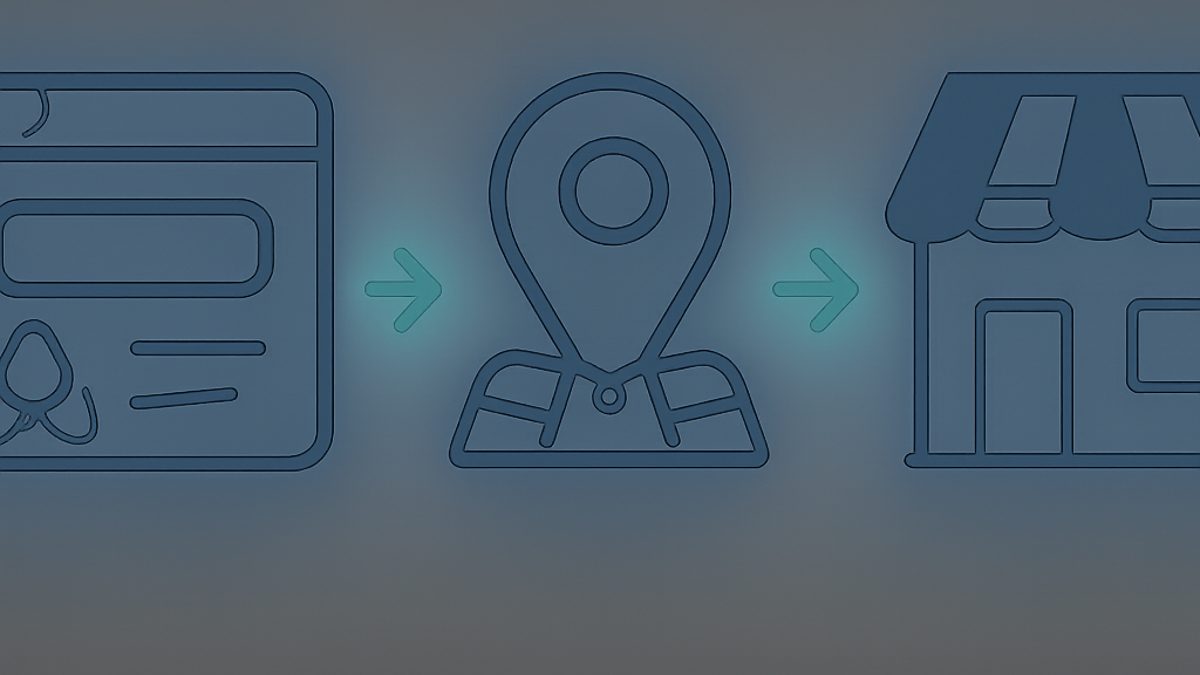
The Google Local Pack's appearance is dynamic, adapting to the user's device and the nature of the search query. It primarily manifests in two key ways: on the main Google Search Results Page (SERP) and within Google Maps.
On the SERP, the Local Pack typically appears just below any paid advertisements and above the standard organic search results. It presents the top three business listings in a concise format, accompanied by a small map snippet highlighting their locations. Each listing includes the business name, star rating, number of reviews, business category, and a brief address. Users can click on any listing to view the full Google Business Profile (GBP) or click the "More businesses" link to expand to a larger Google Maps view with additional local results.
When a user initiates a search directly within Google Maps or clicks "More businesses" from the Local Pack, they are taken to a dedicated map interface. Here, businesses are represented by pins, and a side panel provides more extensive details for multiple listings, allowing for filtering, directions, and direct calls. This seamless integration ensures that users can easily transition from discovery to action, whether they are navigating to a location or contacting a service provider.
What Are the Key Elements of a Local Pack Listing?
Each listing within the Google Local Pack is a condensed snapshot of a business, designed to provide immediate value to the searcher. Understanding these elements is crucial for optimizing your Google Business Profile (GBP) effectively.
The primary elements include:
- Business Name: The official name of your business.
- Star Rating and Number of Reviews: A crucial trust signal, displaying the average star rating (out of 5) and the total count of customer reviews. Businesses with higher ratings and more reviews tend to attract more clicks.
- Business Category: A concise label indicating the primary service or product category (e.g., "Restaurant," "Plumber," "Hair Salon").
- Address: The physical street address of the business location.
- Phone Number: A clickable phone number for direct contact.
- Website Link: A direct link to the business's official website.
- Directions: A clickable link that opens Google Maps, providing navigation instructions from the user's current location.
- Hours of Operation: Sometimes displayed, especially for businesses with variable hours or when the current time falls within operating hours.
- Photos: In some instances, a prominent photo from the GBP might be displayed, enhancing visual appeal.
- Call to Action (CTA) Buttons: Depending on the business type, buttons like "Call," "Website," "Directions," or "Save" may appear. For restaurants, "Order Online" or "Reservations" are common.
Each of these elements draws directly from your Google Business Profile. Incomplete or inaccurate information here can severely hinder your chances of appearing in the Local Pack and converting potential customers. ProMapRanker's GBP audit tool can help identify gaps and optimization opportunities in your profile, ensuring all elements are accurate and compelling.
How Does Google Determine Local Pack Rankings?
Google's algorithm for ranking businesses in the Local Pack is sophisticated, relying on three core pillars: Proximity, Relevance, and Prominence. Understanding these factors is the foundation of any successful local SEO strategy.
Google officially states these three factors on its Google Business Profile Help page. Here's a deeper dive into each:
Proximity: How Close Is Your Business to the Searcher?
Proximity is paramount. Google prioritizes businesses that are physically closest to the user's location at the time of their search. This is why a geo-grid rank tracker is indispensable. A business might rank #1 from one block away but drop significantly just a mile down the road. ProMapRanker’s geo-grid scans reveal your true local visibility across a defined area, for example, a 5x5 grid at 5 miles, showing exactly where you dominate and where you need improvement. This granular data helps you understand the impact of proximity far beyond a single point ranking.
Relevance: Does Your Business Match the Search Query?
Relevance refers to how well your Google Business Profile matches what the user is searching for. This involves:
- Accurate Business Categories: Select the most specific and appropriate primary category, and up to nine secondary categories. For instance, a "Pizza Restaurant" is more relevant than just "Restaurant" for a pizza search.
- Detailed Business Description: Use keywords naturally within your description, explaining your services or products in detail.
- Services List: Clearly list all services you offer within your GBP.
- Google Posts: Regularly create Google Posts about promotions, new products, or events, as these can signal current relevance.
Prominence: How Well-Known and Credible Is Your Business?
Prominence refers to how well-known and authoritative Google perceives your business to be, both online and offline. This is a multifaceted factor:
- Online Review Signals: The quantity, quality, and recency of reviews across Google and other platforms are critical. A business with hundreds of 4.5-star reviews is more prominent than one with ten 3-star reviews. Regularly responding to reviews, both positive and negative, also boosts prominence.
- Link Signals: The number and quality of backlinks pointing to your website. High-authority links from local news sites, industry blogs, or chambers of commerce significantly enhance your website's authority, which in turn influences your GBP's prominence.
- Citation Signals: Consistent Name, Address, Phone (NAP) information across numerous online directories (e.g., Yelp, Yellow Pages, industry-specific sites). Aim for 20+ high-quality citations. Inconsistent NAP can confuse Google and dilute your prominence.
- Website Optimization: A fast, mobile-friendly, and well-optimized website is crucial. Google penalizes slow sites; aim for Core Web Vitals scores like an INP under 200ms and an LCP under 2.5 seconds. Your website's content should reinforce your GBP's information and targeted keywords.
- Organic Ranking: A business that ranks well organically for relevant non-local keywords often sees a boost in its Local Pack prominence.
Google combines these three factors to produce a comprehensive ranking score. Neglecting any one of them can significantly impact your Local Pack visibility. For a deeper dive into improving your visibility, explore our guide on how to improve local pack rankings.
How Do You Optimize Your Business to Rank in the Local Pack?
Optimizing for the Local Pack requires a holistic approach, focusing on your Google Business Profile, website, and overall online presence. Here's a step-by-step guide:
Step-by-Step Local Pack Optimization Strategy
- Claim and Fully Optimize Your Google Business Profile (GBP):
- Verify Your Listing: This is the absolute first step. Unverified listings won't appear.
- Complete All Sections: Fill out every single field. This includes business name, address, phone, website, hours, categories, services, products, accessibility attributes, photos, and a detailed description. Incomplete profiles signal less authority to Google.
- Choose Accurate Categories: Select the most specific primary category and relevant secondary categories. Avoid keyword stuffing in your business name.
- Upload High-Quality Photos: Include your logo, cover photo, interior, exterior, and photos of your team and work. Businesses with photos receive more clicks and direction requests. Aim for at least 10-15 high-quality, geotagged images.
- Add Services/Products: Clearly list all services you offer, using relevant keywords in their descriptions.
- Set Accurate Hours: Include special hours for holidays.
For a comprehensive guide, check out our Google My Business optimization checklist.
- Actively Manage and Solicit Reviews:
- Encourage Reviews: Ask satisfied customers for reviews. Make it easy for them by providing a direct link.
- Respond to All Reviews: Respond professionally to every review, positive or negative. This shows Google and potential customers that you are engaged and value feedback. Aim to respond within 24-48 hours.
- Address Negative Feedback: Offer solutions and apologize when necessary. This can turn a negative experience into a positive perception.
- Ensure NAP Consistency Across the Web:
- Audit Your Citations: Verify that your Name, Address, Phone (NAP) information is identical across all online directories, social media profiles, and your website.
- Build New Citations: List your business on prominent local and industry-specific directories. Aim for citations on 20+ credible directories like Yelp, Yellow Pages, and local chamber of commerce sites. Inconsistencies confuse Google. Our guide on local citations for SEO can help.
- Optimize Your Website for Local Search:
- Local Landing Pages: If you serve multiple locations, create dedicated, optimized landing pages for each.
- Schema Markup: Implement local business schema markup (schema.org/LocalBusiness) on your website. This helps Google understand key details about your business.
- Mobile-Friendly Design: Ensure your website is fully responsive and loads quickly on mobile devices. Over half of all searches are on mobile.
- On-Page SEO: Include your target keywords, city, and state in your website's title tags, meta descriptions, headings, and content.
- Page Speed: Optimize images, leverage browser caching, and minify code to achieve fast loading times (e.g., a First Contentful Paint under 1.8 seconds).
- Engage with Google Posts and Q&A:
- Regular Google Posts: Use Google Posts to share updates, offers, events, and new products. This keeps your GBP fresh and relevant.
- Monitor Q&A: Answer questions posed by users in your GBP's Q&A section. You can also proactively add frequently asked questions and their answers.
- Build Local Backlinks:
- Local Partnerships: Seek backlinks from other reputable local businesses, community organizations, and local news outlets.
- Sponsorships: Sponsor local events or charities for potential links and mentions.
Do You Need Local SEO? Indicators Your Business Can Benefit.
Determining whether your business needs local SEO is straightforward: if you serve customers within a specific geographic area or rely on foot traffic, local SEO is essential. Businesses that operate from a physical storefront, provide services at a customer's location, or offer products for local pickup will see significant benefits. Indicators include customers searching for "near me" terms, needing directions, or comparing local service providers. If your target audience is geographically defined, investing in local SEO is not just beneficial, but critical for growth and visibility in today's search landscape.
Here are clear indicators that your business needs local SEO:
- You Have a Physical Location: If customers visit your store, office, or restaurant, local SEO is non-negotiable.
- You Serve a Specific Geographic Area: Even if you don't have a storefront (e.g., a plumber, electrician, mobile dog groomer), if your service area is defined, local SEO is vital.
- Your Customers Use "Near Me" Searches: People increasingly use terms like "restaurants near me," "plumbers in [city]," or "gyms open now."
- You Rely on Foot Traffic or Local Referrals: Local search results often lead directly to in-person visits or phone calls.
- Your Competitors are Showing Up in the Local Pack: If your rivals are visible, and you're not, you're losing business to them.
- You Want to Generate Qualified Leads: Local searchers are often high-intent, ready-to-buy customers.
ProMapRanker helps businesses understand their local visibility with geo-grid rank tracking, showing exactly where you rank across your service area. This data can prove SEO ROI to local clients by demonstrating tangible improvements in local search presence.
Local Pack vs. Google Maps: Master Local Search
While closely related, the Local Pack and Google Maps represent different stages and interfaces of local search. Understanding their relationship is key to a comprehensive local strategy.
The **Local Pack** is the initial, curated display of 3-4 businesses directly on the main Google Search Results Page (SERP). It's designed for quick discovery, offering a snapshot of highly relevant businesses without the user needing to navigate away from the main search results. Its primary goal is to provide immediate answers and options for local queries, encouraging a quick click-through to a business profile or website.
**Google Maps**, on the other hand, is a dedicated platform for more in-depth exploration. When a user clicks "More businesses" from the Local Pack or performs a search directly within Maps, they enter an interactive environment. Here, a wider array of businesses are displayed on a map interface, often accompanied by a detailed list view. Users can apply filters, get detailed directions, explore street view, read extensive reviews, and delve into full Google Business Profiles. Maps is for users who want to compare multiple options, plan a route, or explore an area more thoroughly.
The synergy is clear: the Local Pack acts as the gateway, driving initial interest, while Google Maps provides the tools for deeper engagement and decision-making. Optimizing your Google Business Profile impacts both. A strong GBP ensures you're eligible for the Local Pack and provides rich data for Maps users. ProMapRanker's geo-grid rank tracking helps you monitor your visibility across both platforms, giving you a complete picture of your local search performance.
Measuring Your Local Pack Performance: Tools and Metrics
Effective local SEO isn't just about implementing strategies; it's about continually measuring their impact. Without proper tracking, you can't identify what's working, what's not, and where to allocate your resources. As the founder of ProMapRanker, I've built our platform precisely for this purpose.
Key metrics and tools for measuring Local Pack performance include:
- Google Business Profile Insights: Your GBP dashboard provides invaluable data directly from Google. This includes:
- How Customers Search for Your Business: Direct (searching for your business name) vs. Discovery (searching for a category/service).
- Where Customers View Your Business: Search results vs. Maps.
- Customer Actions: Website clicks, direction requests, phone calls, message counts.
- Photo Views: How many times your photos have been viewed compared to competitors.
This data is crucial for understanding user behavior and the immediate impact of your GBP. For more targeted tracking, consider tools that offer more granular data.
- Geo-Grid Local Rank Tracking (ProMapRanker):
- Pinpoint Accuracy: Traditional rank trackers often give a single ranking for a city, which is insufficient for local search. ProMapRanker conducts geo-grid scans, showing your Local Pack and organic rankings across a specific geographic grid (e.g., 7x7 grid at 1-mile intervals).
- Proximity Visualization: This visualization directly illustrates the impact of proximity, revealing exactly where your business appears in the Local Pack and where it falls off. This is critical for understanding your true local market share.
- Share of Local Voice (SoLV) / Average Rank Position (ARP): ProMapRanker provides metrics like SoLV, which quantifies your overall visibility within your target geo-grid, and ARP, which gives an average ranking across all grid points. These metrics offer a holistic view of your performance.
- Competitor Benchmarking: See how your Local Pack visibility compares to your top local competitors across the same geo-grid. This is essential for local SEO benchmarking.
This granular data allows for highly targeted optimization strategies, focusing on areas where your visibility is weakest. It's the most accurate way to track your Local Pack rankings and understand your local market presence.
- Website Analytics (Google Analytics):
- Organic Search Traffic: Monitor traffic from Google search, specifically looking at queries that indicate local intent.
- Conversion Rates: Track how many visitors from local searches complete a desired action (e.g., fill out a contact form, make a purchase, call your business).
- Page Speed & Mobile Usability: Ensure your website is performing well, as this indirectly impacts Local Pack prominence.
By combining Google's native insights with advanced geo-grid tracking from ProMapRanker, you gain an unparalleled understanding of your Local Pack performance. This empowers you to make data-driven decisions, refine your local SEO strategies, and ultimately, dominate your local market. Start your free GBP audit with ProMapRanker today and see your true local visibility!
Your Local Pack Optimization Checklist
Use this checklist to ensure your business is fully optimized for Google's Local Pack:
- Google Business Profile (GBP) Foundation:
- [ ] Claim and verify your GBP.
- [ ] Fill out 100% of your GBP profile (name, address, phone, website, hours, categories, services, description).
- [ ] Select the most specific primary category and relevant secondary categories.
- [ ] Upload at least 10 high-quality photos (logo, cover, interior, exterior, team, products/services).
- [ ] Ensure NAP (Name, Address, Phone) is consistent with your website and other online listings.
- Reviews Management:
- [ ] Actively solicit new Google reviews from satisfied customers.
- [ ] Respond to all reviews (positive and negative) promptly and professionally.
- [ ] Implement a system to encourage ongoing review generation.
- Local Citations & Mentions:
- [ ] Audit existing citations for NAP consistency across all major directories (Yelp, Foursquare, industry-specific sites).
- [ ] Build new, high-quality citations on at least 20 relevant platforms.
- [ ] Seek local mentions and links from local news, blogs, and community partners.
- Website Optimization:
- [ ] Ensure your website is mobile-friendly and loads quickly (e.g., Core Web Vitals optimized).
- [ ] Implement Local Business Schema Markup on your contact or homepage.
- [ ] Include local keywords (city, state, neighborhood) in your website's titles, headings, and content.
- [ ] Create specific local landing pages if you serve multiple distinct areas.
- Engagement & Freshness:
- [ ] Publish Google Posts regularly (weekly or bi-weekly) about offers, events, or news.
- [ ] Monitor and answer questions in your GBP's Q&A section.
- [ ] Keep your GBP updated with holiday hours and any business changes.
- Tracking & Analysis:
- [ ] Use a geo-grid local rank tracker like ProMapRanker to monitor your Local Pack visibility.
- [ ] Regularly review Google Business Profile Insights for customer actions and search queries.
- [ ] Analyze website traffic from local searches via Google Analytics.
Frequently asked questions
What are local packs?
Local packs are blocks of three local business listings that appear prominently on Google's search results page for location-based queries. They display key information like business name, address, phone, star ratings, and a map, aiming to provide immediate, actionable local business options to users.
What is a local 3 pack?
The term "local 3 pack" is synonymous with the Google Local Pack. It specifically refers to the typical format where Google displays three local business listings at the top of its search results, offering a quick overview of relevant businesses closest to the searcher or the queried location.
What is the Google Local Pack?
The Google Local Pack is a special feature within Google Search that highlights local businesses relevant to a user's location-specific query. It's a highly visible section, often appearing above organic results, providing essential business details and a map to help users find local services or products efficiently.
How do you know if you need local SEO?
You need local SEO if your business serves customers within a specific geographic area, relies on foot traffic, or offers services at a customer's location. If your potential customers use "near me" searches or seek businesses in a particular city or neighborhood, local SEO is crucial for your online visibility and lead generation.
What are the primary factors influencing Local Pack rankings?
The primary factors influencing Local Pack rankings are Proximity, Relevance, and Prominence. Proximity measures how close your business is to the searcher, Relevance assesses how well your business profile matches the search query, and Prominence considers your business's overall online and offline reputation and authority.
How does ProMapRanker help with Local Pack optimization?
ProMapRanker specializes in geo-grid local rank tracking, providing granular data on your Local Pack visibility across specific geographic areas. It helps identify your strengths and weaknesses in different neighborhoods, offers Google Business Profile audit tools, and provides metrics like Share of Local Voice to measure your market presence, enabling targeted optimization strategies.
See where you really rank - block by block
ProMapRanker scans Google Maps across a grid of your service area. Simple monthly plans from $19, white-label on every plan.
Start free